Visual shopping list

Shared grocery list with meal planner, recipe import and price estimates.

Share a grocery list with your family, import ingredients from recipes, organise by store aisle, and see estimated totals before checkout. No ads, no tracking, full privacy.

6k+ cool icons

They play a crucial role in engagement and retention. Tested and confirmed: users simply love them.

Creating a shopping list

The app is built around a simple grid of icons. Recognition over recall makes it easier to shop.
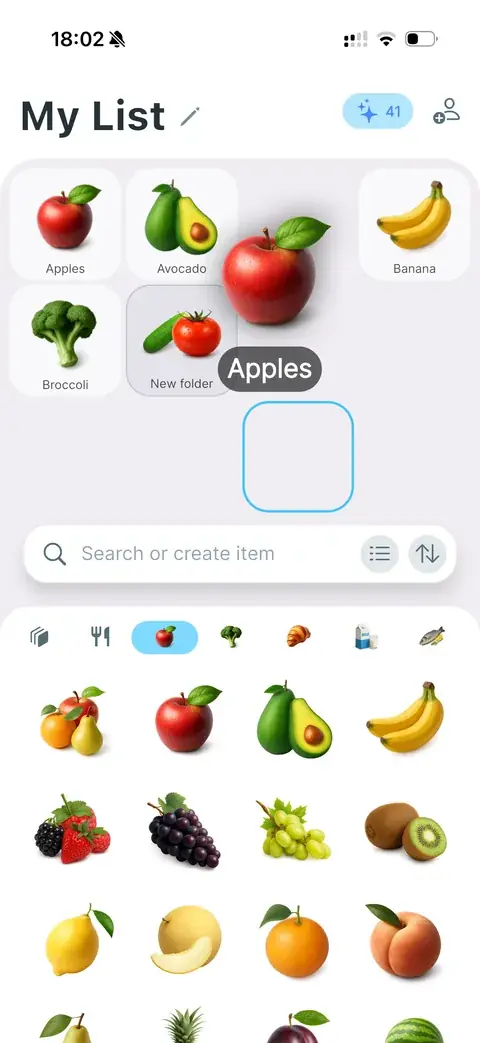
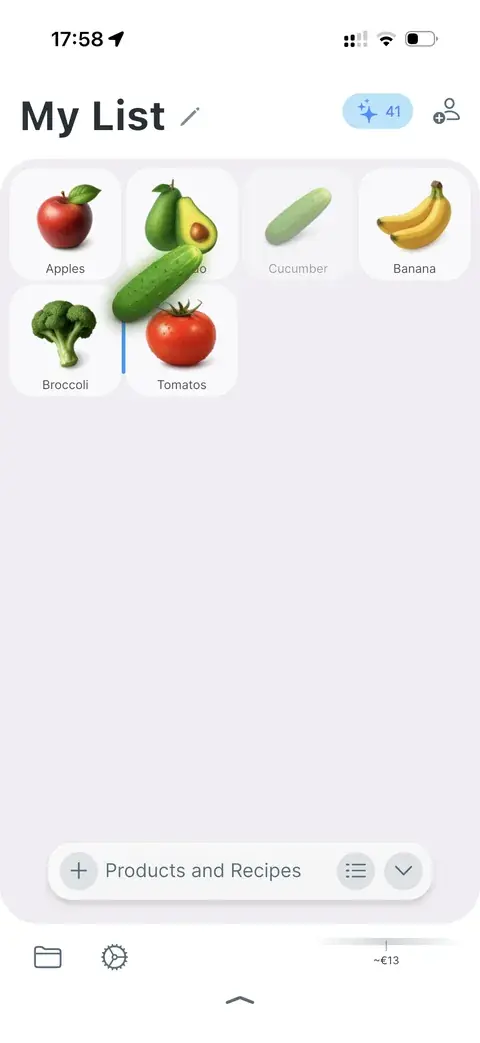
Dragging a product icon from the catalogue onto the list
Find a product and drag the icon onto the grid.
Rearranging items on the shopping list grid
Or rearrange items later to mirror buying habits.
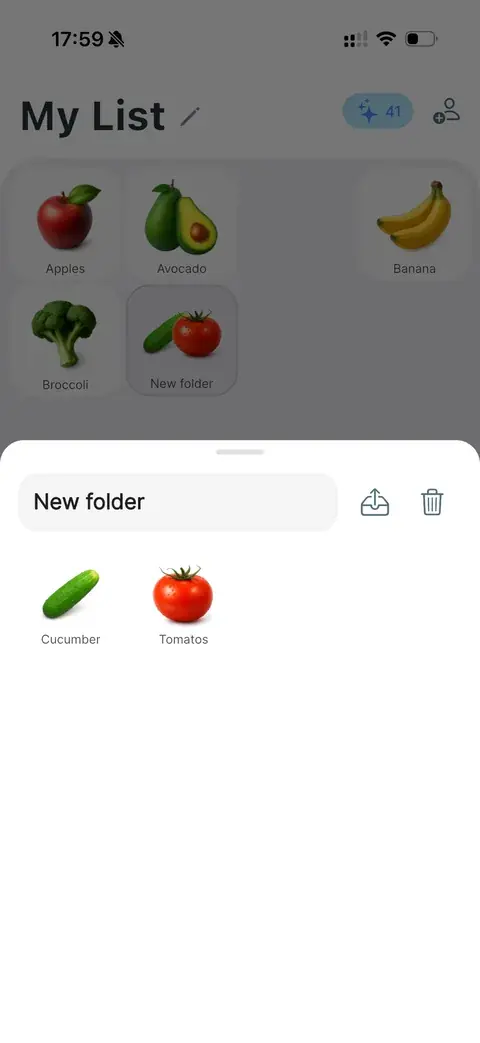
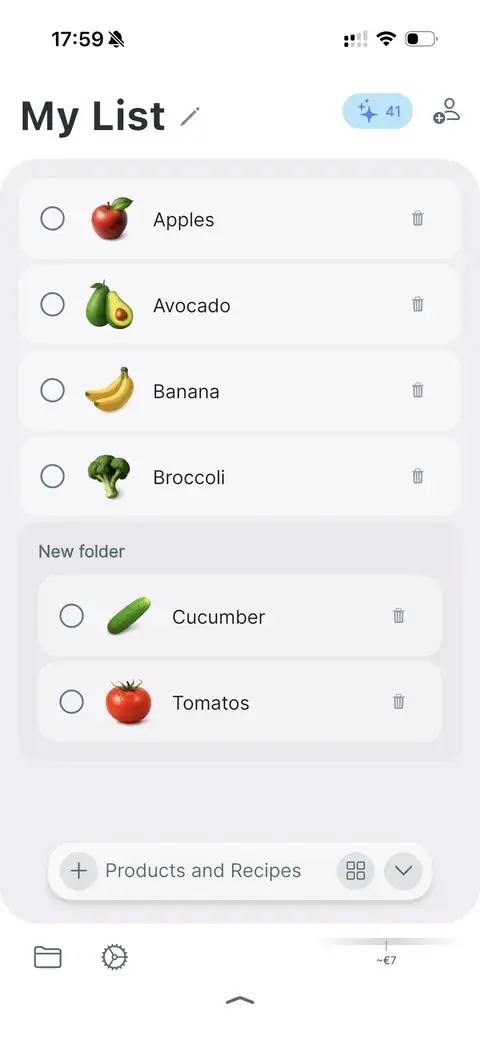
Folder grouping items on the list
Group items in folders for more sophisticated sectioning.
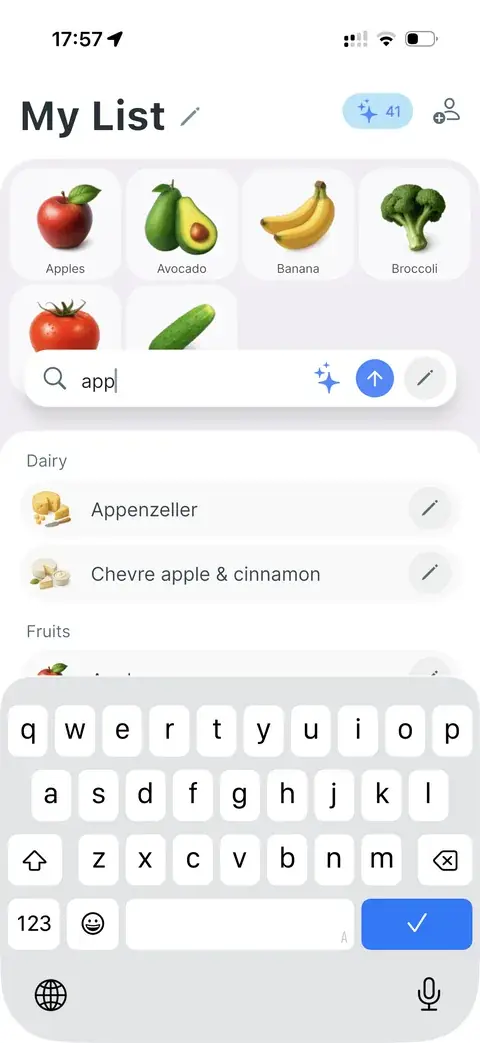
Search field with add, generate, and edit controls
The search field reaches every main control: add to the list, generate an image, or add with changes.
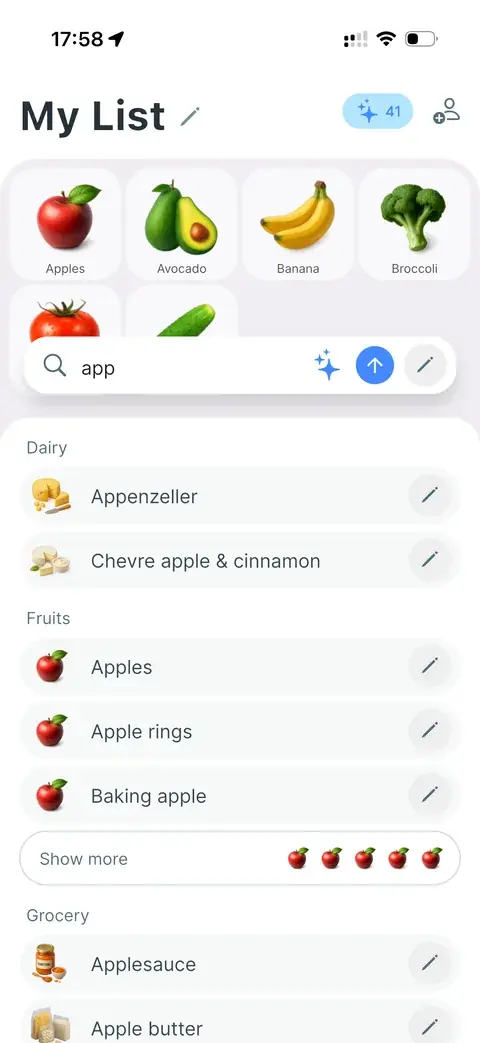
Search results grouped by catalogue section
Grouping by section when searching the 7k catalogue.
Classical list view with names and checkboxes
Classical list view when names and notes are important.
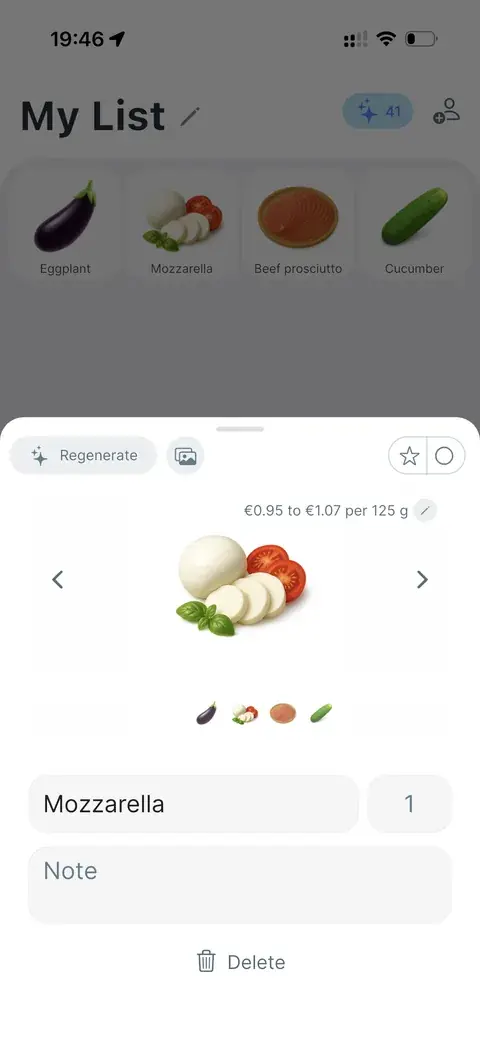
Product sheet with AI image regeneration
Generate custom images in the Listic style — on the paid plan or with AI credits.
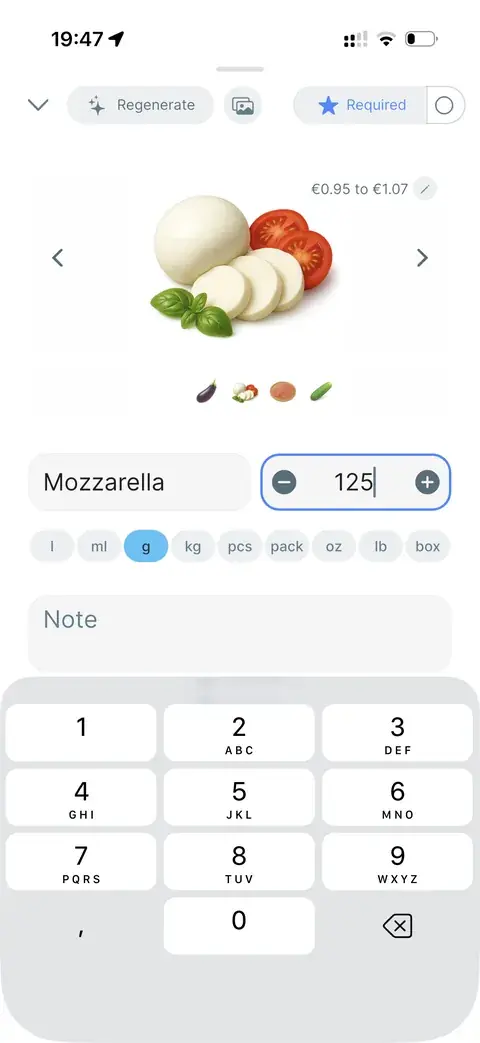
Editing quantity and unit in the bottom sheet
Edit items seamlessly in the bottom sheet.
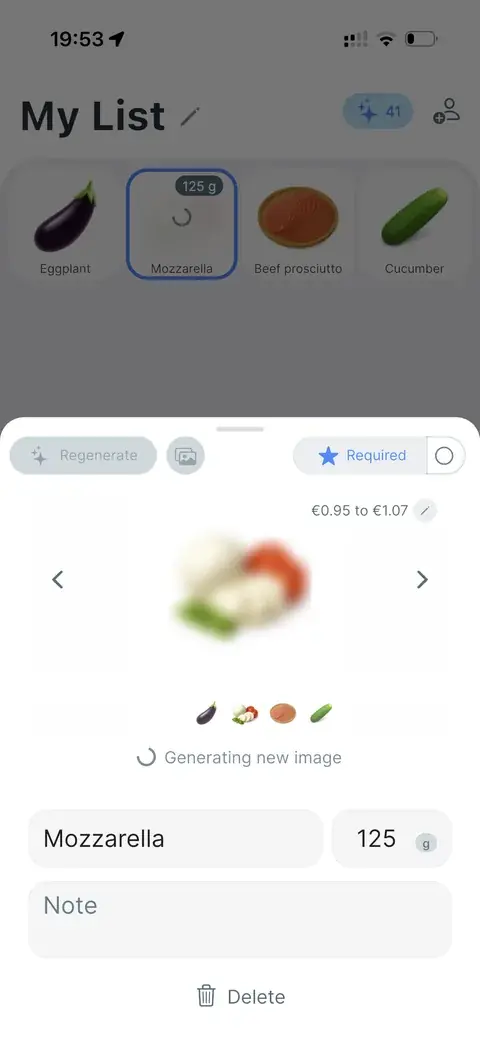
AI generating a new product image
AI image generation while you stay in the product sheet.

Recipes and meal plan

People buy groceries for cooking. Sometimes you know the dish; sometimes you do not. Recipes help find dinner ideas — or add the right products instantly.

Import a recipe from any page, create your own, and plan meals from the recipe view.
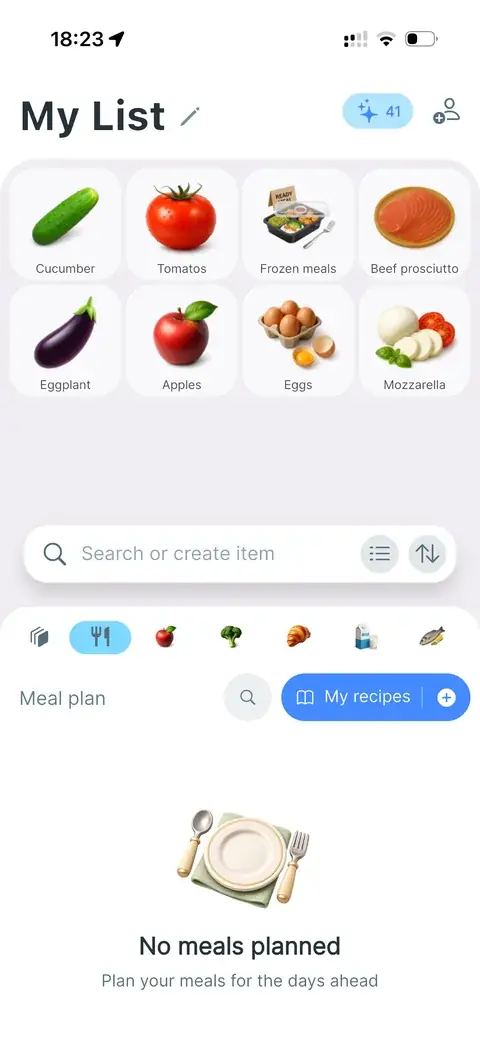
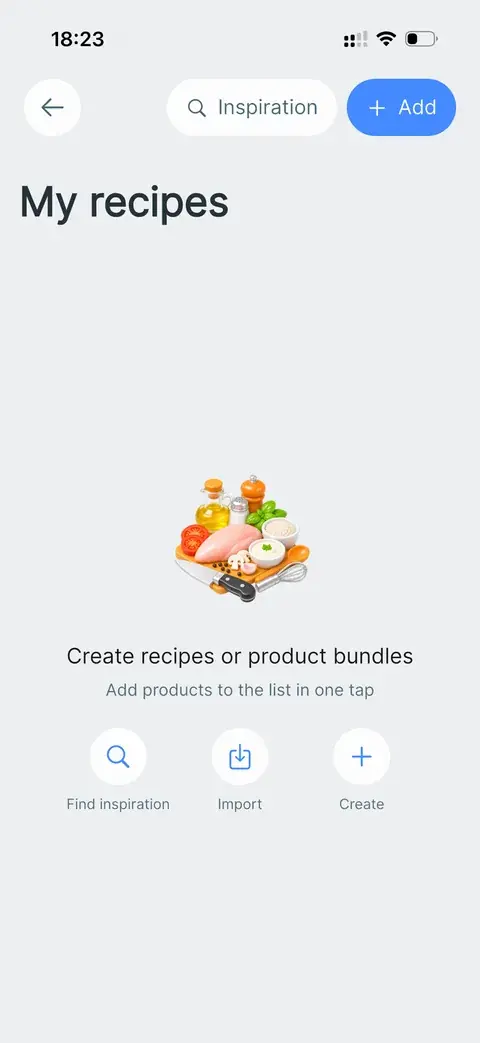
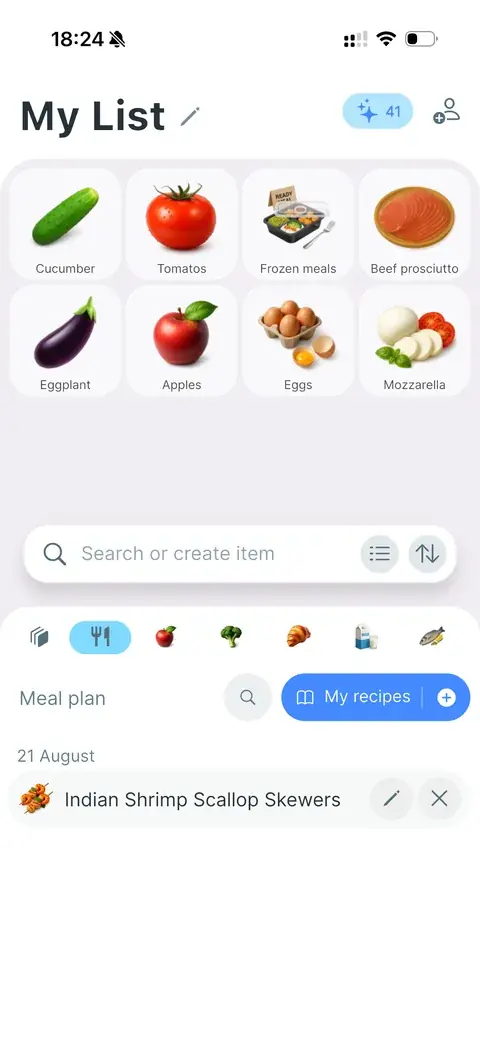
Recipes tab in the catalogue with an empty meal plan
Recipes is yet another section in the catalogue.
Recipe cards in the catalogue
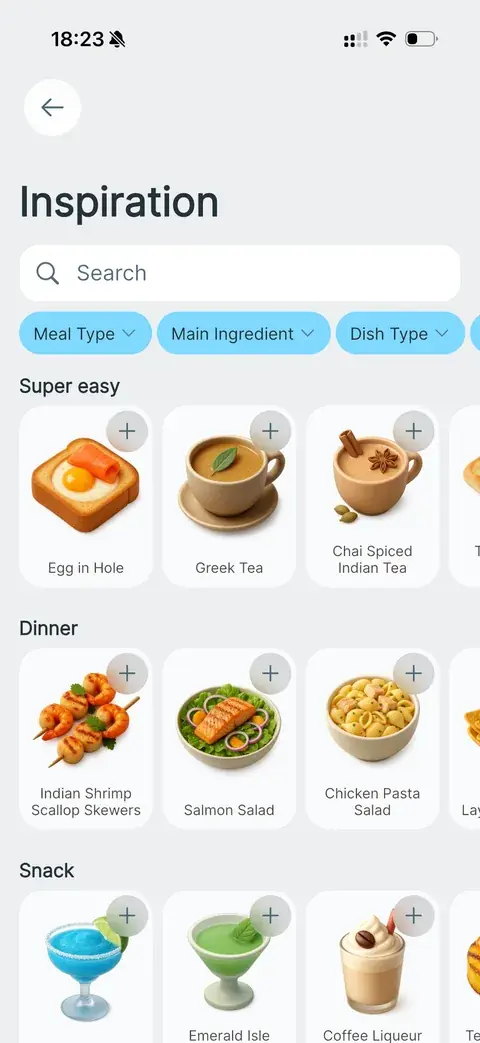
Inspiration catalogue of simple recipes
A catalogue with simple recipes when you need ideas.
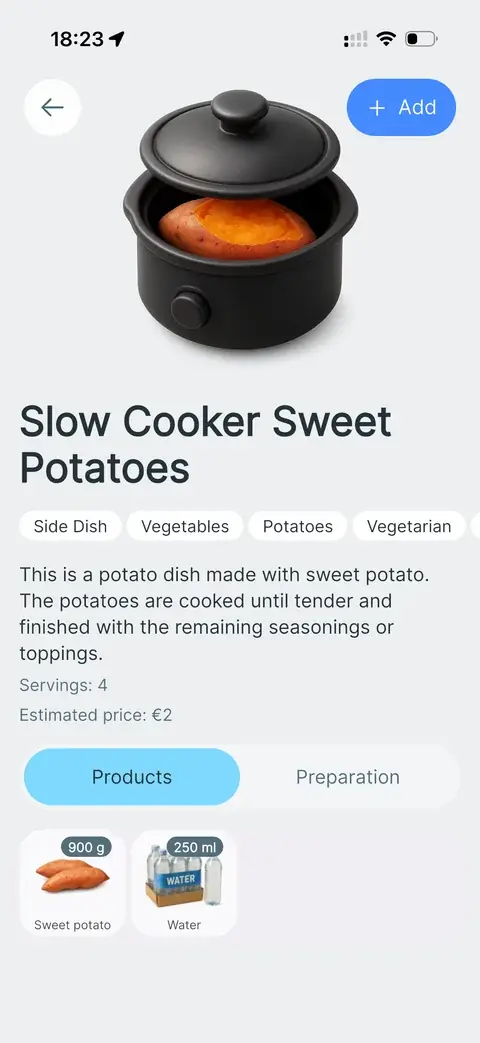
Recipe detail view
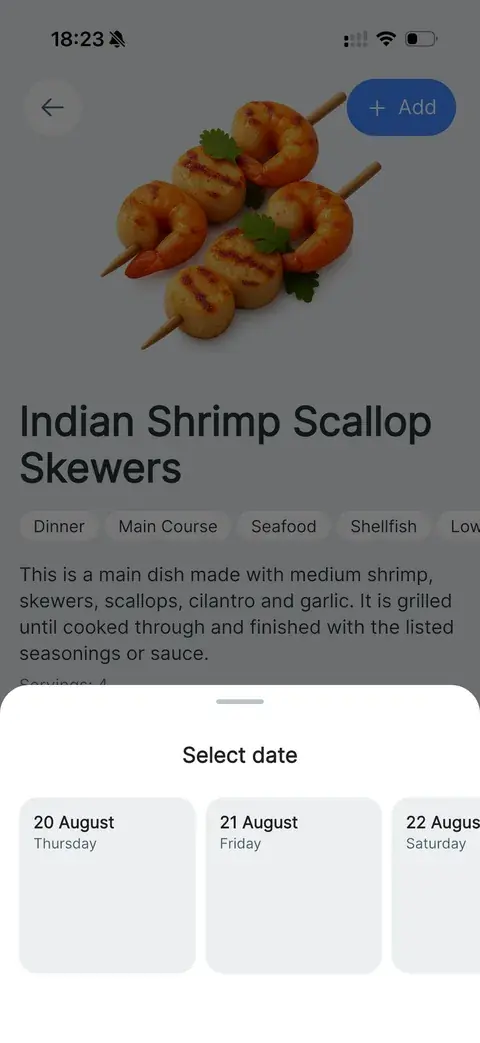
Selecting a date to add a recipe to the meal plan
Add the meal plan from the recipe view.
Meal planned on the calendar
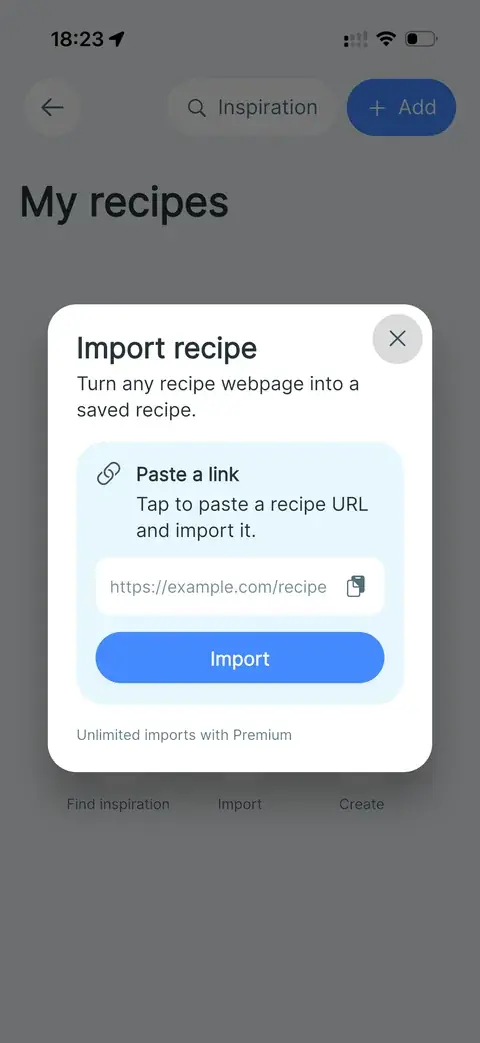
Import recipe from a webpage
Import recipes from any page. Works with AI.
Editing a saved recipe
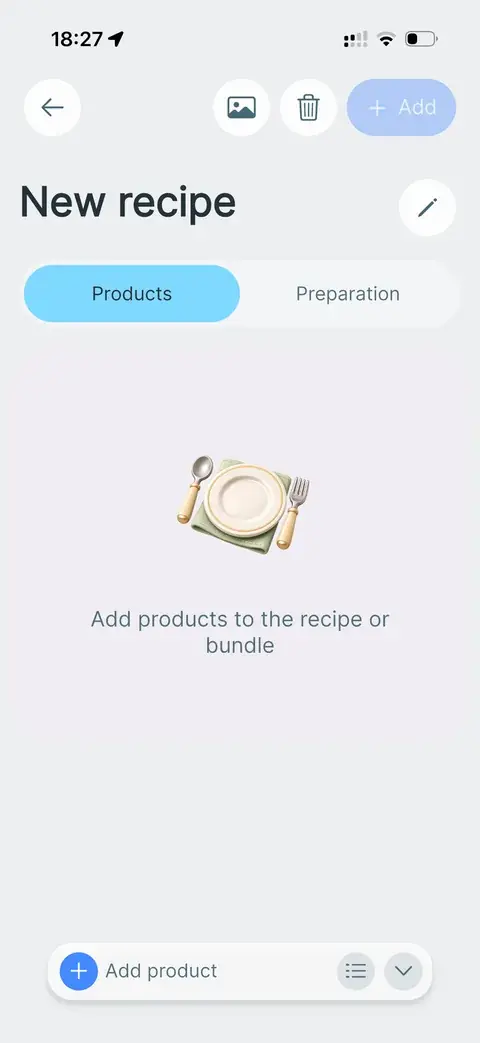
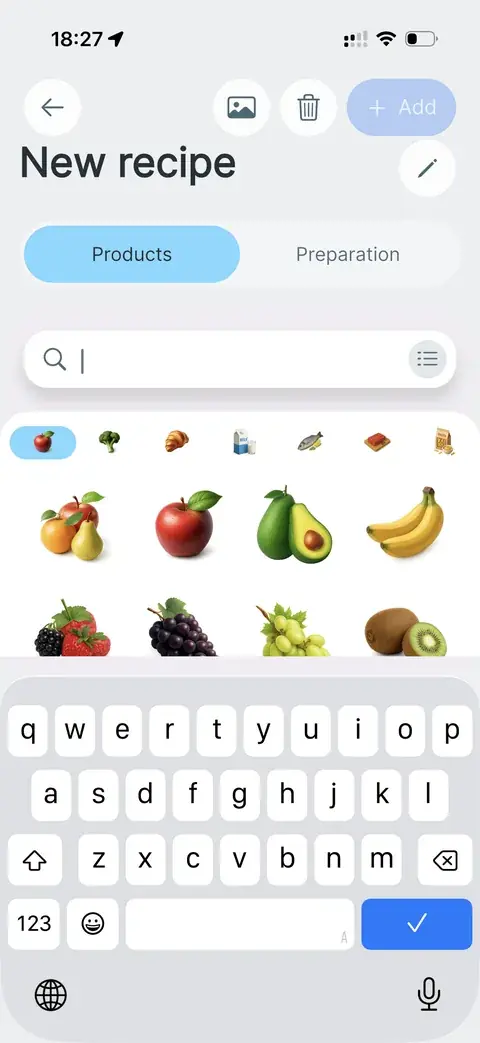
Creating a recipe and adding products
Manual addition and editing of recipes are also available.

Price estimation

Shows the estimated grocery total as you add products. Tracks spending over time, shows personal shopping trends, and helps stay within the household budget.
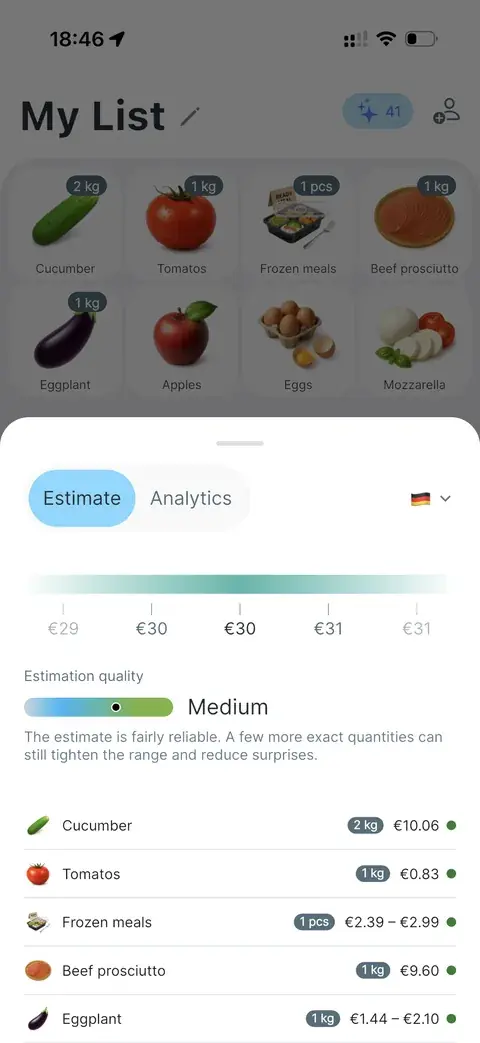
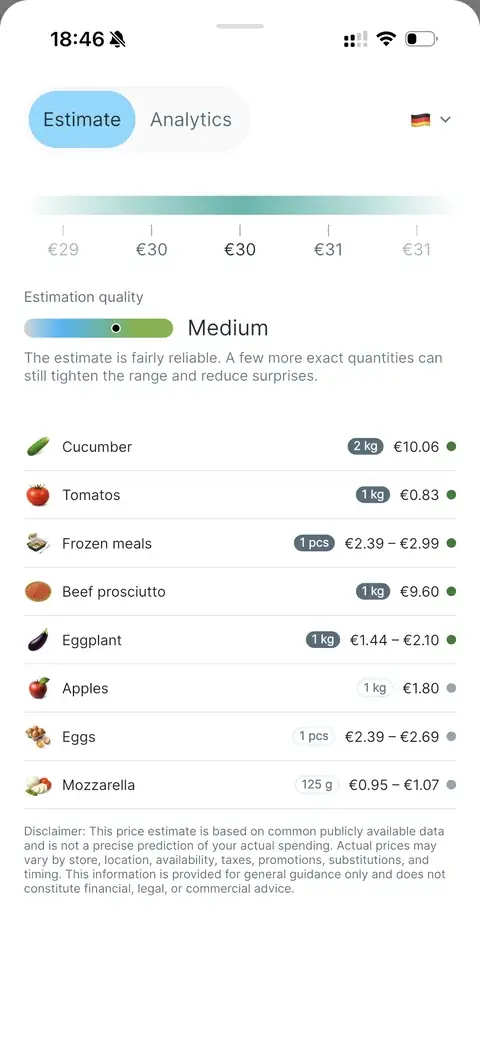
Price estimate sheet on the shopping list
Prices are displayed based on publicly available information.
Estimation quality and itemised price ranges
Precision varies with the quantities added to each product.
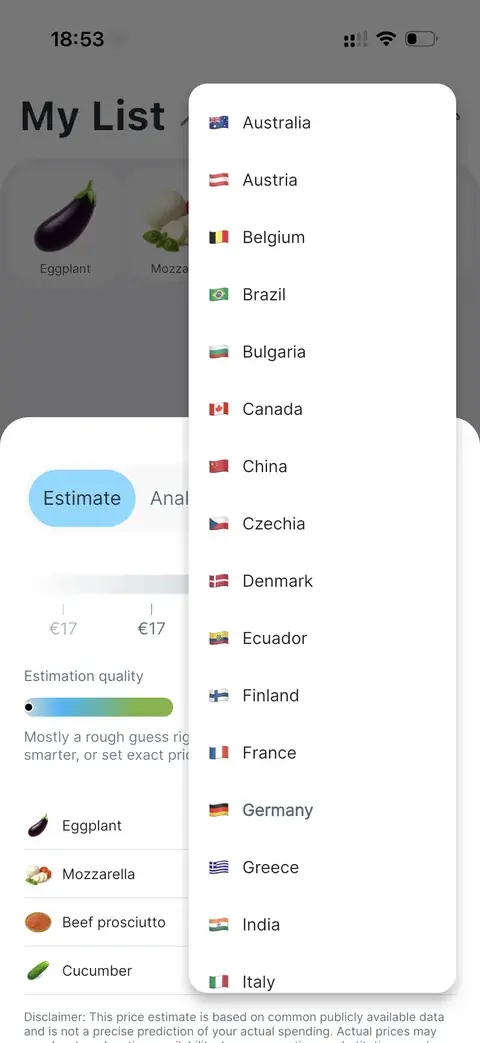
Price estimation for another country
Price estimation works in many countries — and new ones keep being added.
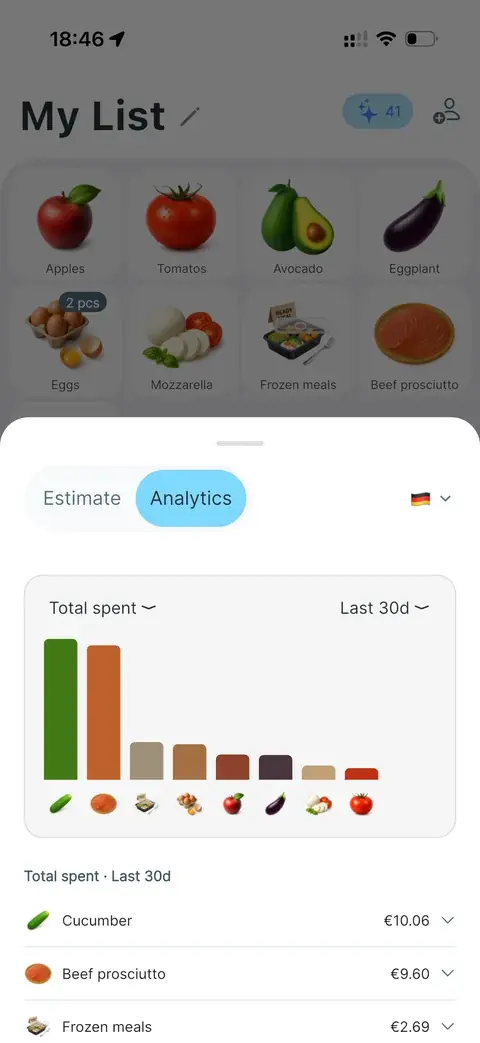
Spending analytics for the last 30 days
A bank statement cannot show which products you buy most — or where you can save.
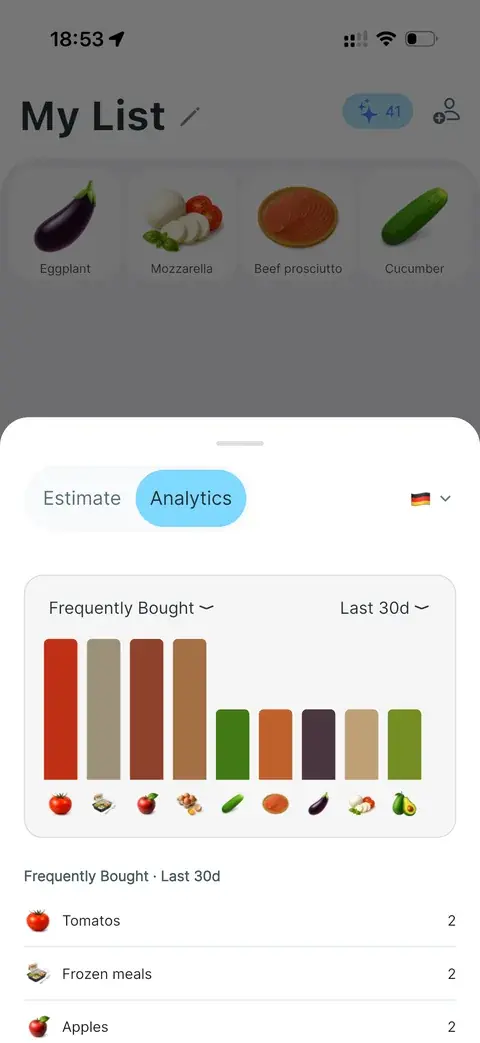
Spending trends in analytics

Track pantry & get cooking suggestions

People buy the same products regularly. Stock keeps track of what is left and what to restock.
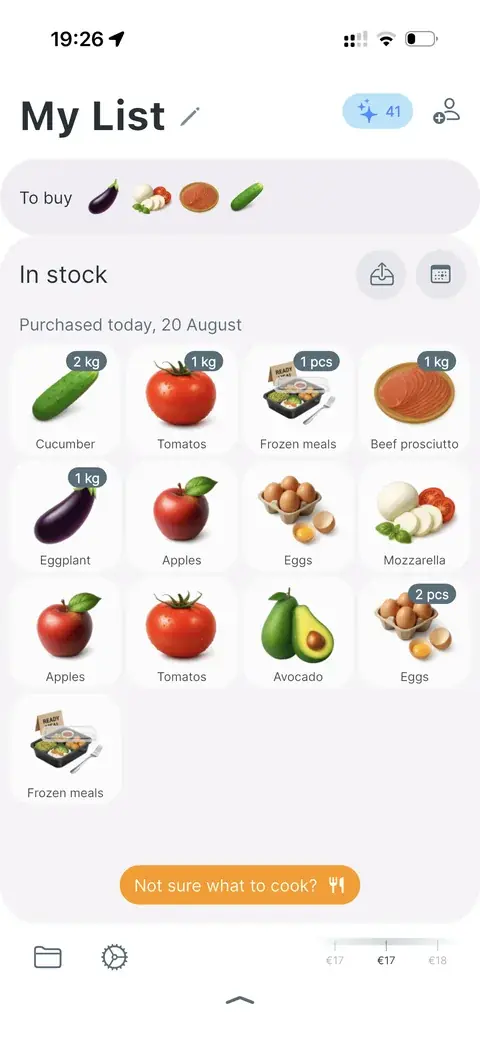
In-stock grid with purchase quantities
Grid mode shows what you have, when it was purchased, and what it cost.
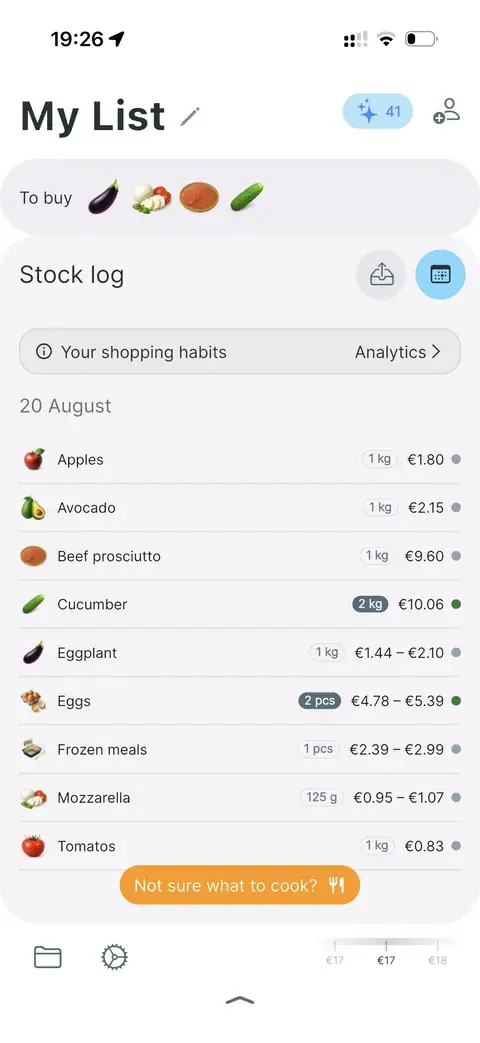
Stock log in list mode
List mode for the same stock log.
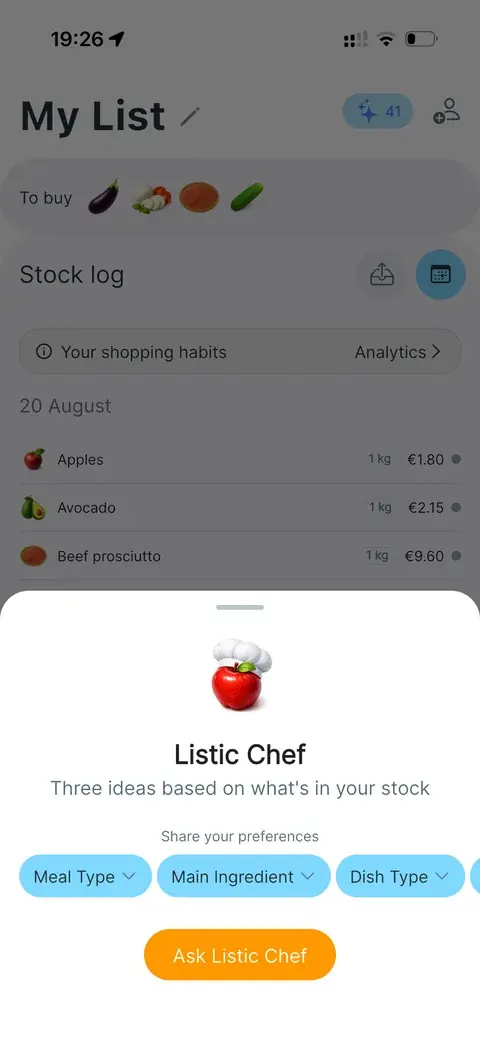
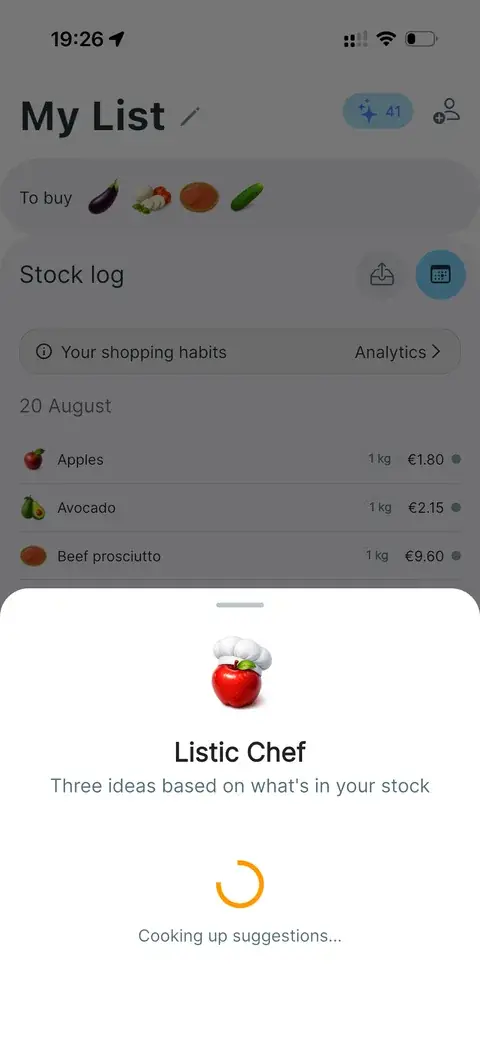
Listic Chef sheet based on stock
Chef can be a lifesaver when you are at a loss for what to cook.
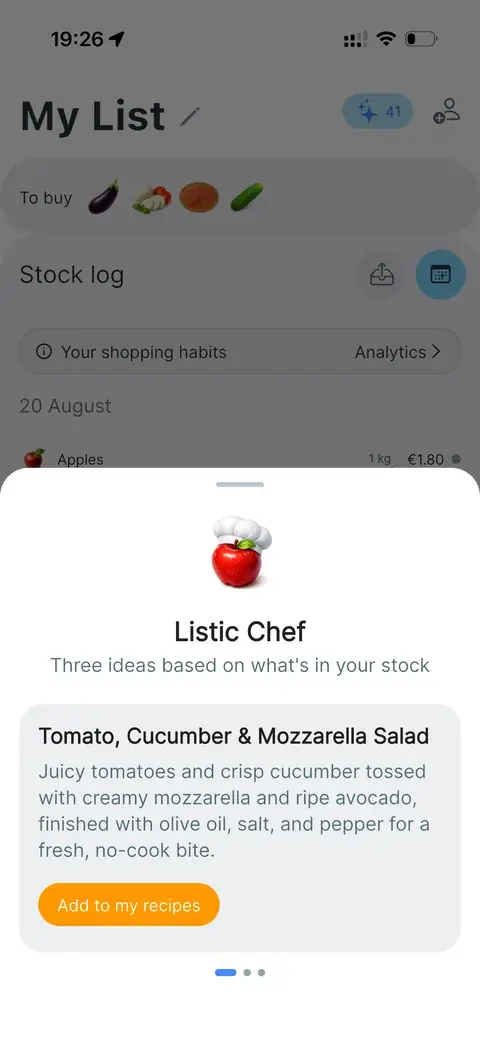
Cooking suggestions from Listic Chef
Chef recipe ideas from pantry items

Live sharing

Family members often share the same shopping needs but have different preferences or occasional requests. Sharing keeps the next trip in sync.
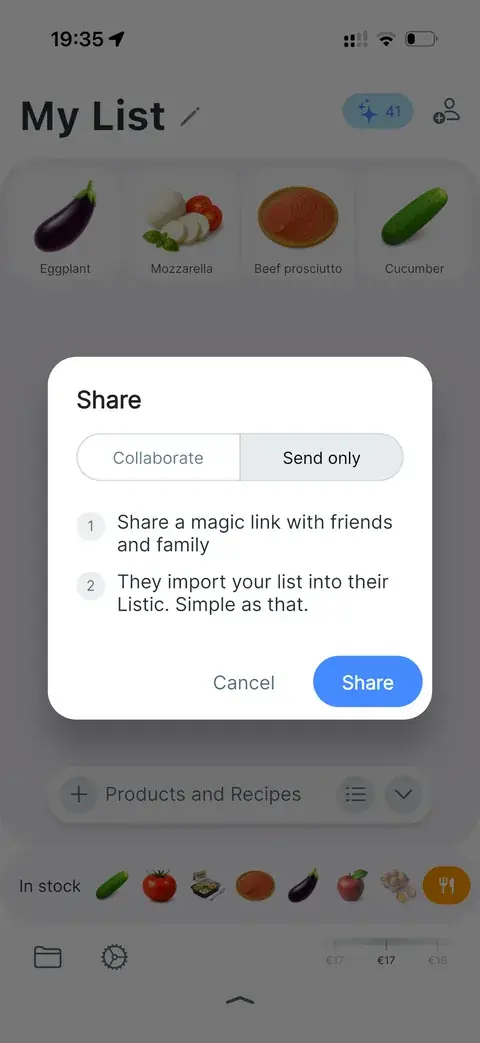
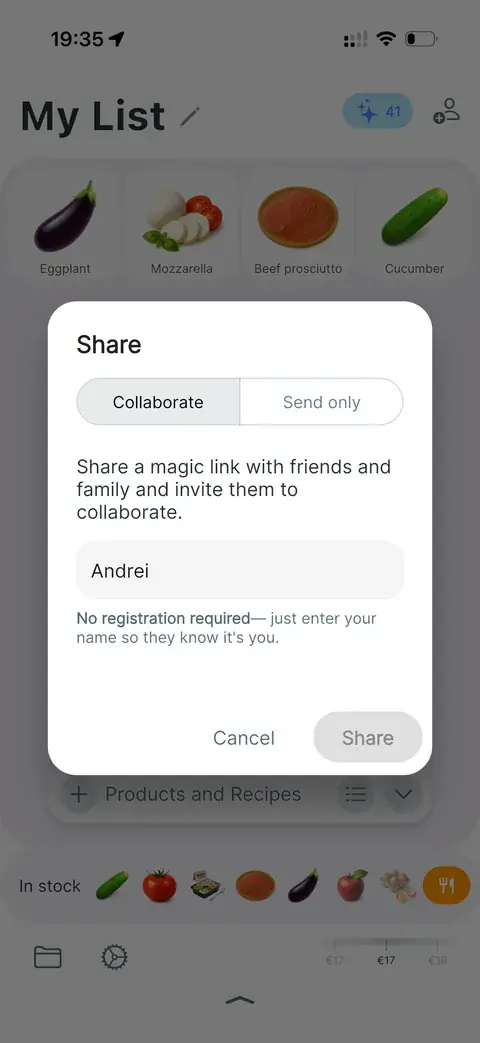
Share dialog with Collaborate and Send only
Live sharing or sending the list content directly.
Share a magic link with no registration

Inside the app

Swipe through Listic

Shopping lists, live sharing, recipes, prices, stock, and loyalty cards — tap or drag to explore every screen.

Shopping list and meal planner
Real-time collaboration
Thousands of products with beautiful icons
Plan meals for the days ahead
Never overspend with price estimates
Save money with stock tracking
Never forget your loyalty card
Beautiful dark mode
Know where your money goes

Comparison

Listic vs Listonic

Both apps help with grocery planning. Listic is built for people who want a more visual, pantry-aware shopping system with realistic icons, recipes, stock tracking, and analytics.

Listic

  • Visual product experience

    Realistic icon-first lists with 6,000+ product icons and fast visual recognition.

  • Product catalogue

    Vast built-in product catalogue designed for quick icon-based adding and list building.

  • Recipe creation

    Create recipes or product bundles and add ingredients to the list in one flow.

  • Pantry-aware suggestions

    Recipe suggestions can use what is already in the pantry/stock, helping reduce waste.

  • What is in stock

    Track what is in stock after shopping, with purchase dates and restock context.

  • Purchase and consume analytics

    Purchase and consumption analytics show habits, usage, and spending context over time.

  • Privacy-first shopping

    No ads, no selling shopping data to retailers, and no account required for core list use.

Download Listic

Listonic

  • Visual product experience

    Product suggestions and item pictures; public pages describe a visual catalog and photo attachments.

  • Product catalogue

    Popular products, catalog, and suggestions from shopping history.

  • Recipe creation

    Recipe and meal ideas through its AI assistant, plus recipe-related list planning.

  • Pantry-aware suggestions

    AI suggests recipes based on preferences and what users often buy; public page does not position this as stock-aware.

  • What is in stock

    Public store listings mention pantry check; main site focuses more on lists, sorting, and budget.

  • Purchase and consume analytics

    Budget control and total cost calculator help estimate spend before shopping.

  • Privacy-first shopping

    Free app with optional account for sync/backup and premium customization/ad-free options.

Listonic comparison is based on public feature information from listonic.com.

Awesome app for shopping lists. It would be great to add more drugstore items like pills and similar products.

Emo666duck

Questions people ask

Does Listic need an account?

No. Listic is designed for fast shopping lists without registration.

Can I share a shopping list?

Yes. Share a link with family or friends and keep the list updated together.

Can Listic estimate prices?

Yes. Listic estimates your basket total so you can see the cost before checkout.

Can I organize items by aisle or folder?

Yes. You can group items into folders or sort products by aisle to make shopping faster in the store.

Can I save recipes or product bundles?

Yes. Create recipes or bundles and add their ingredients to your shopping list in one flow.

Does Listic help track what is already at home?

Yes. Listic can track what is in stock so you can plan smarter, reduce waste, and avoid buying duplicates.

Can I keep loyalty cards in Listic?

Yes. Store loyalty cards in the app so they are ready at checkout.

Is my shopping data private?

Listic has no ads, does not sell your shopping data to retailers, and keeps your shopping list yours.

Download Listic

Available on the Apple App Store and Google Play Store.